← How-to
Manage the people in your app
As an app owner, give people roles in your app and take them away again, without waiting for the installation administrator.
Who can do it: Anyone whose role in the app lets them manage its members (members.manage).
Step by step
-
Open People
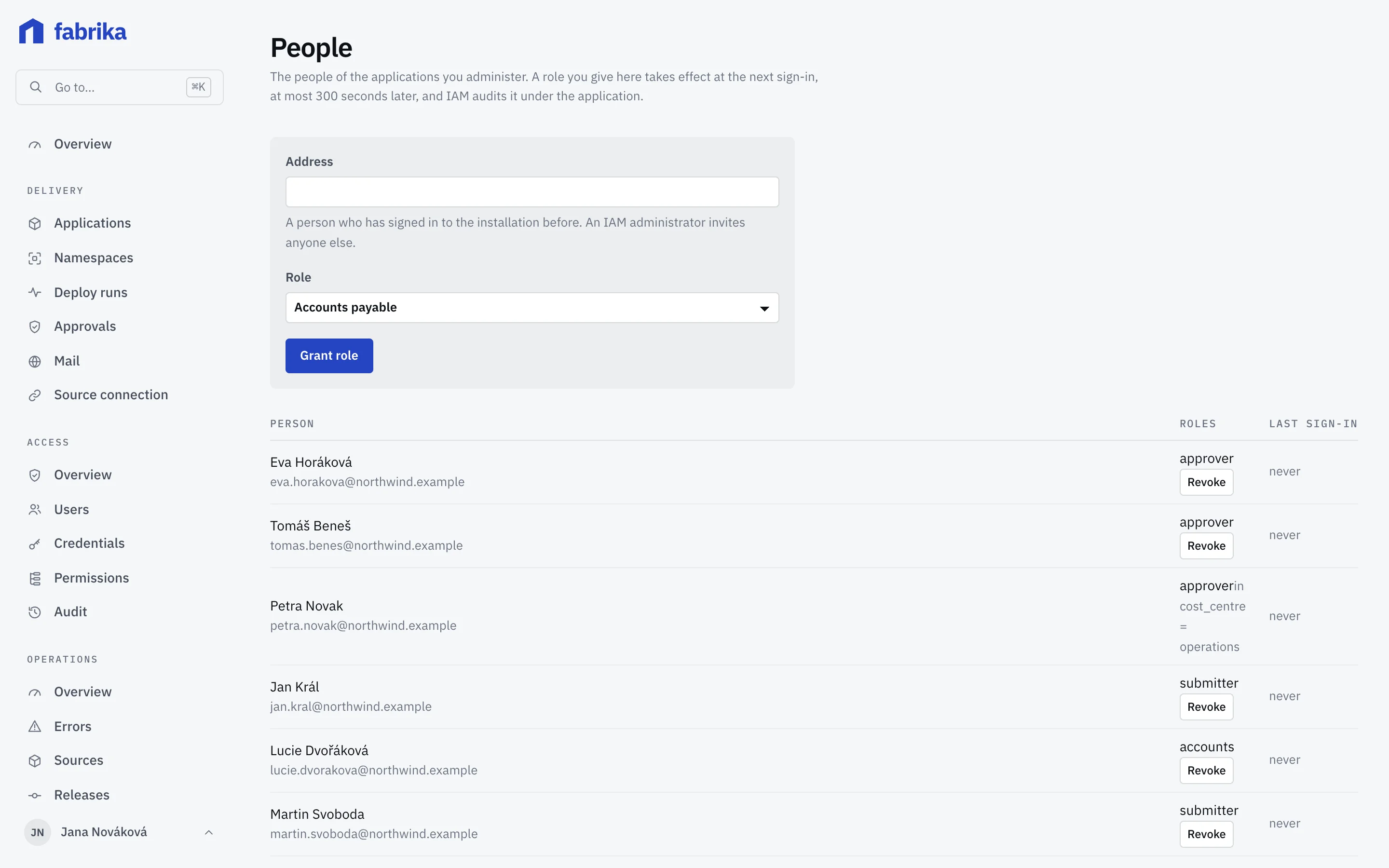
In the console, go to “Your applications” → “People”. You see who holds which role in the apps you look after.
-
Grant a role
Enter the person's e-mail, pick a role and click “Grant role”.
-
Take a role away
Click “Revoke” next to the role and confirm.
Good to know
- This works only for someone who has signed in to the installation before. New people are invited by the installation administrator.
- The change applies from the person's next sign-in, within 5 minutes at most.
Go through it with our engineer.
Half an hour with the person who builds the platform. Bring your identity provider, your cloud, your security questionnaire or a repository.