Replace the spreadsheet with an app you build yourselves. With someone behind it.
Once several people, approvals or money depend on a spreadsheet, replace it with an app that does exactly your process. Your own person builds it with AI, or your developer or agency does, and on Fabrika we stand behind it: the platform handles sign-in and permissions, and we review every change before it goes live.
Below: how to tell the spreadsheet is no longer enough, what your options are and when each one fits, and what moving from a spreadsheet to an app looks like, step by step.
Updated 28 September 2026
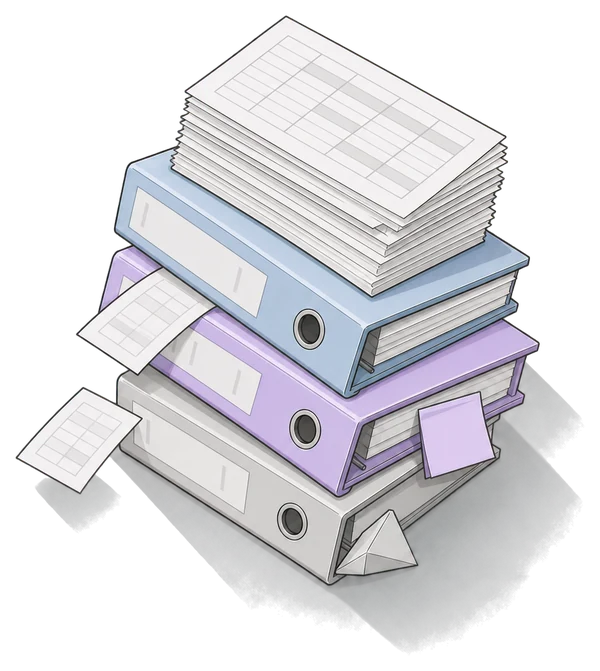
How can you tell the spreadsheet is no longer enough?
Excel is a great tool, and plenty of processes can live in it for years. The trouble starts when a personal spreadsheet turns into a system the company runs on. These are the usual signs:
“invoices_2026_FINAL_v3.xlsx”
Several versions of the file are going around and nobody is sure which one counts. Whoever writes into an old copy loses their work.
You retype the same data by hand
From email into the spreadsheet, from the spreadsheet into accounting, from paper notes into the computer. Every retyping costs time and invites a mistake.
One person understands it
Only the person who made them knows the formulas, macros and hidden sheets. When they're on holiday or leave, the process stops.
Nobody knows who changed what
A number is different from yesterday and nobody knows why. Version history may be there, but finding one change in it is detective work.
Everyone sees everything, or nobody does
Margins, salaries and personal data in one file. Permissions come down to a password on a sheet, or to sending the file only to some people.
Approvals happen in email
“Please approve”, “just a reminder”, “has anyone seen this?” Where it got stuck, you find out by phone.
Deadlines live in someone's memory
Contract end dates, inspections, payment terms. The spreadsheet won't remind anyone of anything by itself.
Nobody can fill it in out in the field
A big spreadsheet is awkward on a phone, so people write on paper and retype it in the evening.
One sign doesn't mean you have to change anything. When several apply and the spreadsheet carries money, customers or the work of several people, it's worth thinking about an app.

What are your options?
There's more than one way out of Excel, and none of them is best for everyone. Here's a fair comparison, including when Fabrika isn't the right fit.
Stay with the spreadsheet, just share it
Excel in Microsoft 365, Google Sheets
Fits when
A few people use it, the process is simple, and the main problem is file versions. A shared file everyone edits at once fixes the versions and costs nothing extra if you already have the licences.
Watch out for
Row-level permissions, approvals and reminders are hard to do in a spreadsheet. The process still rests on formulas and people's discipline, and when someone breaks it by accident, you find out late.
Off-the-shelf software
SaaS for one purpose
Fits when
The process is common and the same everywhere: attendance, invoicing, helpdesk, accounting. You get it quickly and the vendor runs it.
Watch out for
You adapt to the tool's template, not the other way round. The data sits with the vendor, so check how the price grows with the number of users. Every extra tool is another sign-in and another place your data lives.
A module in your ERP
Extending the system you have
Fits when
You already run an ERP and the process is closely tied to it, say warehouse, purchasing or production. The data stays in one place.
Watch out for
Custom changes are usually made only by the ERP vendor, on their schedule and price list. Smaller processes around the ERP may not fit into it, or may not be worth it.
A no-code or low-code tool
Clicking the app together yourself
Fits when
The process can be described with tables, forms and simple rules, and you want to click it together yourselves. The first version comes quickly.
Watch out for
The app usually lives only inside the tool. When the process outgrows what the tool can do, or you want to leave, you build again. Check how users are billed and where the data lives.
Custom development
An agency or freelancer, turnkey
Fits when
It's a large or very specific system with many integrations, and you want it delivered turnkey.
Watch out for
Plan for months of work. One Czech developer's public price list puts an internal tool at CZK 300,000–600,000 and 2–3 months, not counting operations or further development (dostaljakub.cz, Dec 2025). Agree up front who owns the code and who will run and change the app.
We do custom development too →Building it yourselves with AI
A capable colleague and an AI tool
Fits when
You have a capable person who knows the process. With AI app-building tools they'll have something working in a few days, and for personal use or a trial that's enough.
Watch out for
Building is the start. Who can sign in, who sees what, where the data lives, how backups work, and who looks after the app once its author leaves: none of that comes on its own.
Checklist before colleagues use it →Contember Fabrika
Your people build, we stand behind it
Fits when
The process is your own, several people depend on the spreadsheet, and you have someone who'll build: your own person with AI, a developer or an agency. You want someone behind the result after go-live too.
Watch out for
Fabrika assumes the apps get made on your side; for the first one we can build it with you. It's a service: a one-off setup, then monthly operations with change review. You get the price in the offer after the scoping call.
The options combine. Keep attendance in an off-the-shelf tool and accounting in the ERP, and build on Fabrika what no box covers.
What does moving from a spreadsheet to an app look like?
Take invoice approvals. Today: a shared spreadsheet where the office manager logs incoming invoices, “please approve” emails, and an accountant waiting for a cell to turn green. Nothing gets thrown out at once; the spreadsheet is where you start.
- 01
A scoping call, spreadsheet in hand
You show us the spreadsheet and tell us who writes what into it and who waits on what. We tell you what the first version of the app should do and what can wait. Within a few days you get an offer.
free · 30 min - 02
The spreadsheet becomes the design
Columns become fields, sheets become registers, colours and notes become statuses. Who enters and who approves what turns into roles. The spreadsheet is a brief you already have.
together - 03
The first version
In a kickstart we build it together with your person; invoice approvals take two or three days. Or your person builds it with AI on their own, and we review it before it goes live.
two or three days - 04
Data from Excel
We move the current invoices from the spreadsheet into the app, so you don't start empty. If you want years of history moved too, that's a separate item in the offer.
data transfer - 05
Sign-in and roles
Colleagues sign in with their company account through Google, Microsoft or Okta. Approvers see the invoices waiting for them, accounting sees all of them. The app has no public address; the only way in leads through the platform.
platform - 06
Running side by side
New invoices go only into the app. The spreadsheet stays next to it for a few weeks as an archive and a safety net, until people get used to the change. Then you close it.
a few weeks - 07
Further changes
A new column, a different approval limit, a link to accounting. Your person or supplier makes the change, we review it before it goes live, and every version comes with a report of what we checked.
ongoing
What the spreadsheet turns into
What can a spreadsheet turn into?
Four processes that often live in Excel. The times apply when we build the app together with you in the kickstart; the offer gives the exact scope.
Contract register
Instead of a list of contracts, a record card, deadlines and reminders. A register of vehicles, equipment or certificates works the same way.
Invoice approvals
A document arrives, makes its approval rounds, gets matched. A purchase request works the same way.
Orders and jobs
An order or a job from enquiry to delivery, with statuses, history and follow-up steps, instead of one row per job in a big sheet.
Capacity planning
People, machines or dates against commitments. Instead of a production plan in Excel that only one person can recalculate.
Who will look after the app?
It's worth knowing the answer before the app goes live. On Fabrika the work is split three ways.
You
- Decide what the app does and for whom
- Decide who gets which role
- Your person with AI, your developer or agency builds the changes
- Decide which change goes out and when
The platform
- Sign-in with your company account (Google, Microsoft, Okta)
- Roles and permissions for each app, in one place
- A single way in; the apps have no public address
- Separate test and production environments
- A record of sign-ins, access changes and deployments
Contember
- Review of every change before it goes live, with a report
- Watching for errors and outages, patching the platform
- Backups and recovery set up with you, to the extent you need
- Help for your person when they get stuck
And when the author leaves?
The app keeps running. The code is in your Git, the rules are in the platform, and we've seen every change during review. The next person picks up where the last one stopped, and we help them find their feet. The cloud account is registered to your company; the code, the data and the domains are yours.
When is Fabrika not for you?
When does it make sense to replace Excel, and when not yet? We'll say it on the call too, but it's better you know up front.
One person uses the spreadsheet and nothing is on fire
Then leave it. A spreadsheet is fine until several people depend on it or the data starts getting copied by hand.
Off-the-shelf software covers the process
Attendance, invoicing, accounting: if a boxed product does what you need, take it. Fabrika makes sense where the box doesn't fit.
You're looking to replace your whole ERP
Fabrika is for the processes around your ERP and between your systems, not for swapping out accounting or a warehouse system.
Nobody on your side will build or commission apps
Fabrika assumes apps get made on your side. If you want one large system delivered turnkey, that's different work. We do it too, just not as Fabrika.
Custom development →You want a one-off delivery without operations
Fabrika is a setup followed by monthly operations with change review. If you'll run the app yourselves, an agency or a freelancer will suit you better.
What people ask when they want out of Excel
Does it have to be a big project?
No. You start with one process, say invoice approvals or a contract register. In a kickstart a small app is done in a day or two, a bigger one takes the whole week. You add further processes gradually, once the first app has caught on.
How much of our time will it take?
The scoping call is half an hour. In a kickstart, the person who'll build your next apps spends the week with us, and the people who know the process join at the start. After that it depends on how much you want to build.
How much does it cost?
You pay a one-off Fabrika setup and then monthly operations with change review. You don't pay per user or per hour. You get the exact price in the offer after the scoping call, before anything starts. How pricing works
Will we lose the data we have in Excel?
No. We move the current data from the spreadsheet into the app, and the spreadsheet can stay next to it for a while as an archive. Moving a long history, say several years of orders, is a separate item in the offer.
Can we keep doing reports in Excel?
Yes. An export to a spreadsheet can be added to the app, so whoever is used to pivot tables keeps them. The difference is that the data is created in one place and the export is just a copy.
Can it connect to our accounting or ERP?
Technically it's not a problem. A simpler connection fits into the setup or the kickstart, larger systems call for more work. What that looks like for you, we'll tell you on the scoping call.
Do we need our own IT or a programmer?
No. A capable person who knows the process and will build with AI is enough, or the developer or agency you already work with. The platform enforces the rules and we review the changes.
Isn't an off-the-shelf or no-code tool cheaper?
If you find one that fits your process, it may well be. Fabrika makes sense where the process is your own, several people work with it, and you want the code and the data to stay with the company. Fabrika's price doesn't grow with the number of users.
Will it work on a phone?
The apps run in the browser on a computer, a tablet or a phone. An entry from the field or the warehouse goes straight into the phone, not onto paper.
What if it doesn't catch on?
That's why you start with one process. The spreadsheet stays next to it for a while, and you decide whether to continue based on the first app in production.

Show us your spreadsheet.
Half an hour and the spreadsheet you want to replace is enough, macros and colours included. We'll tell you what app it would become, how long building it would take, and whether it makes sense at all. If it doesn't, we'll say so plainly.