Before your AI-built app goes to your colleagues: a checklist
Before colleagues start using an app built in Lovable, Cursor, Claude Code or Replit, check six things: who can get in, where the data lives, where the keys are, how changes reach production, what happens when something breaks, and who will look after it. Below are 24 concrete checks, each with a way to verify it yourself.
It's for whoever built the app and for the IT person who is supposed to approve it. You can tick the checks off right here (the state stays only in your browser) or print the list.
Updated 28 September 2026
of tested coding tasks where AI models wrote code with a vulnerability from the OWASP Top 10.
Lovable apps let anyone read their database without signing in, because the RLS rules were missing (CVE-2025-48757).
publicly reachable apps from Lovable, Replit, Base44 and Netlify found by RedAccess. Around 5,000 held sensitive company or personal data.
0/24 done · 0/9 of the must-haves
Who can get into the app?
Start here. An app that anyone with the link can open doesn't belong in a company, however good it is otherwise.
-
01
Always before launch
How to check
Open the app's address in a private browser window, ideally on your phone off the company Wi-Fi. Also try specific pages you know from everyday use: a record detail, an overview,
/admin.Why it matters
Whatever you see without signing in, anyone with the link sees. And links travel further than you'd like.
-
02
How to check
Find every address the app is published on:
*.lovable.app,*.replit.app,*.vercel.app,*.netlify.app. Even if it has its own domain, try the original address in a private window.Why it matters
Connecting your own domain doesn't necessarily switch the original address off. The app then has two doors and only one of them is locked.
-
03
Always before launch
How to check
Look at the sign-in screen. Is there a Google or Microsoft sign-in tied to your company domain, or a sign-up form with an email and password? Try creating an account with a private email address.
Why it matters
If anyone can sign up, the app is effectively public. A company account means access ends when the account does, and multi-factor sign-in follows your company's settings.
-
04
How to check
Pick someone who has left the company or changed roles and check whether they can still get in. Then find out who would remove their access, and where.
Why it matters
Apps with their own passwords aren't tied to company accounts. Access then has to be removed by hand, app by app, and that gets forgotten.
-
05
Always before launch
How to check
Sign in as a user with the lowest role and try to open a record that isn't theirs: change the number or ID in the address. Try the admin section too. Then look at the user list and count how many people have full rights.
Why it matters
Signing in says who you are, not what you're allowed to see. Permissions have to be enforced by the server and the database. A hidden button stops no one.
Where does the data live, and who can reach it?
An AI-built app often stores data wherever was quickest during the build. That's usually the account of whoever built it.
-
06
Always before launch
How to check
Find out where the app stores data: Supabase, Lovable Cloud, Firebase, Replit's database, Google Sheets. Then check whose account the service is on and who pays for it. The company's, or the author's personal one?
Why it matters
Data on the author's private account leaves with them. Or disappears when they stop paying.
-
07
Always before launch
How to check
For apps on Supabase, open the table list in the Supabase dashboard and check that every table has RLS switched on and policies in place. The Security Advisor in the dashboard helps. With other databases, ask where the app checks who may read which rows.
Why it matters
An app on Supabase queries the database directly from the browser. Only the RLS rules decide who sees what. When they're missing, anyone can read the data.
-
08
How to check
Write down what the app stores: names and emails, customer details, salaries, contracts, national ID numbers, health data. And who besides your own people can reach it.
Why it matters
That decides how tightly the app has to be closed. As soon as it holds personal data, GDPR applies, however the app was built.
-
09
How to check
Go through the services the app calls: AI (OpenAI, Anthropic, Google), email, analytics, payments. For AI, find out whose plan it is and on what terms. The variables in
.env.exampleor in the hosting settings are a good list to start from.Why it matters
Company data should only flow to services the company has a contract with. Not through the author's private plan.
-
10
How to check
Find out whether the database has backups, how often they run and how long they're kept. Then ask whether anyone has actually restored data from a backup, and how long it took.
Why it matters
A backup nobody has ever restored from is an assumption. The day you need it is a bad day to find out.
Where are the keys and passwords?
Keys to payments, AI or the database are like keys to the warehouse. The most common shortcut in AI-built apps is leaving them in the code.
-
11
Always before launch
How to check
Search the repository, including its history, for
service_role,secret,sk_,api_keyandpassword. Check that there's no.envfile in it. Tools like gitleaks or TruffleHog do it faster, and GitHub has secret scanning.Why it matters
A key that once made it into a repository stays in its history even after it's deleted. Treat such a key as leaked and replace it.
-
12
Always before launch
How to check
Open the app, press F12 and look through the Network and Sources tabs for payment or AI keys, or
service_role. Only public keys belong in the browser, for example Supabase's publishable (anon) key.Why it matters
Anything sent to the browser can be read by anyone who opens the app.
-
13
How to check
List the keys the app uses, where they're stored and who can get at them. Then answer this: if a key had to be replaced tonight, who would do it, where, and could they do it without the author?
Why it matters
When only the author knows the keys, they leave with the author. And when a key leaks, there's no time to work out where it's used.
How does a change get into production?
With AI, a new version of an app takes minutes. What matters is what happens to it before your colleagues see it.
-
14
Always before launch
How to check
Find the repository on GitHub or GitLab. Is it in your company's organisation, or on the author's personal account? Do at least two people in the company have access?
Why it matters
An app without accessible code can't be fixed, handed over or rebuilt. All that's left is whatever happens to be running.
-
15
How to check
Find out who has the right to publish in the tool (Lovable, Replit, Vercel, Netlify). Can a change go out without a second person seeing it?
Why it matters
In Lovable, anyone with the editor role or above can publish, so a change from the chat can go live with no second pair of eyes. It has to be clear what gets deployed and who approved it.
-
16
How to check
Check whether there's a test version of the app with its own database. When the author tries a new feature, are they working on real data?
Why it matters
An experiment on live data can delete or overwrite real records. And when AI edits one thing, it sometimes changes another.
-
17
How to check
Open the change history in the repository and try to trace the last three deployments: when they happened, what they brought and who started them.
Why it matters
When something breaks, the first question is what changed. Without a history you're searching blind.
What if something goes wrong?
Every app goes down at some point, or starts doing something it shouldn't. The difference is whether you find out first or your customers do.
-
18
How to check
Find out where errors are recorded (Sentry or the hosting logs, for example) and who gets alerted. Then answer this: who would notice the app isn't working on a Saturday?
Why it matters
Without error tracking you hear about problems from users. Often they just decide the app doesn't work and go back to the spreadsheet.
-
19
How to check
Try to find out who signed in to the app last week and who last changed a role.
Why it matters
After a data leak or a suspicious change, this is the first thing you'll need to know. It can't be filled in after the fact.
-
20
How to check
Agree who the contact is when the app is down or data leaks, and who decides whether the incident gets reported. Write it down somewhere others can find it.
Why it matters
Under GDPR, a personal data breach generally has to be reported to the supervisory authority within 72 hours of finding out. If you fall under the Czech Cyber Security Act, an incident with significant impact is reported within 24 hours.
Who will look after the app?
“So the fundamental question is who will be responsible for the resulting 90/10 patchwork.” That's how a Lupa.cz reader put it under an article about companies bringing developers apps that are “90 percent done”.
-
21
Always before launch
How to check
Write down two names: who decides what the app does and who may use it, and who is responsible for the technical side. If both are the author, who has a few hours a week for it, that's a risk, not ownership.
Why it matters
An app without an owner lives until it breaks. Then it turns out nobody answers for it.
-
22
How to check
Test whether a colleague could do four things without the author's help: find the code, deploy a small change, replace a key and restore the data.
Why it matters
That day will come. An app only one person can run ends when that person leaves.
-
23
How to check
List every account the app needs: the tool it was built in, hosting, database, domain, AI, email service. For each, note whose email it's registered to and whose card pays for it.
Why it matters
When an account is on the author's private email and card, the app ends with the first unpaid invoice or with the author's departure.
-
24
How to check
Check in the repository when the dependencies last changed (
package.jsonand the lockfile). Runningnpm auditshows known vulnerabilities. Dependabot or Renovate can flag them for you.Why it matters
Flaws turn up in libraries all the time, including in code nobody has touched for months.
Your ticks are saved only in this browser. We don't send them anywhere.
What does Fabrika handle on its own, and what do we take care of?
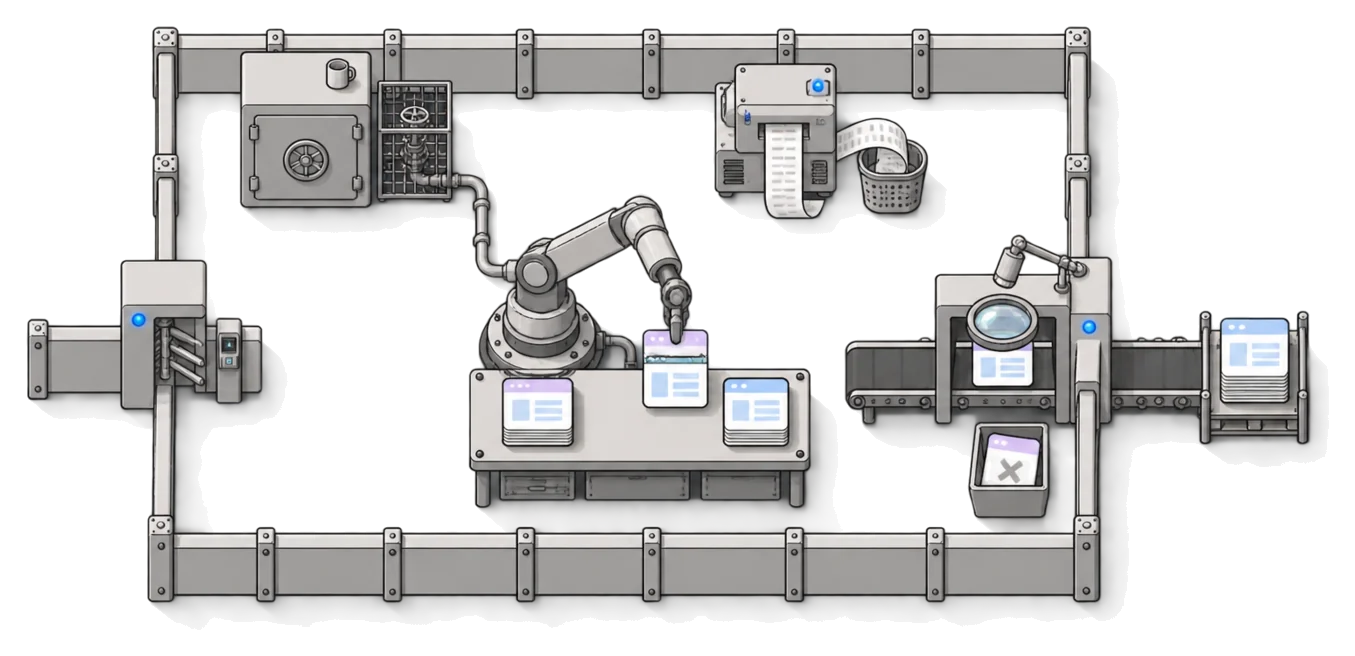
Fabrika is a platform your company builds its own apps on, and our team behind it. Here is who covers which part of the checklist once an app runs on it.
| Area | The platform handles | We take care of | Stays with you |
|---|---|---|---|
| Access 01–02 | The platform handles The app has no public address. The single entry point lets in only verified users, and when the access rules are missing, the door stays shut. | We take care of We set the platform up in your cloud account when we set up Fabrika. | Stays with you Nothing extra. |
| Sign-in and leavers 03–04 | The platform handles Sign-in with your company account through Google, Microsoft Entra or Okta, one sign-in for all apps. Outside people sign in with a password. | We take care of We connect the platform to your identity provider during setup. | Stays with you Company accounts and closing them. Multi-factor sign-in follows your company's settings for that account. |
| Roles 05 | The platform handles Roles per app, managed in one place. A new version of the app won't overwrite the permissions you set. | We take care of When we review changes, we check that the app really limits what each role can see. | Stays with you Who gets which role. |
| Data 06–09 | The platform handles Data lives in a cloud account registered to your company, with Cloudflare or Zerops, or AWS if you prefer. | We take care of When we take over an app on Supabase, we decide with you: move elsewhere, run Supabase in your account, or leave it where it is. We don't train anything on your data. | Stays with you What data belongs in the app. The AI always runs on your own plan. |
| Backups 10 | The platform handles The platform doesn't back up on its own. | We take care of We set up backups and recovery with you, to the extent you need. | Stays with you The scope: what gets backed up, how often, and how quickly the data has to be back. |
| Keys and passwords 11–13 | The platform handles The cloud provider holds app keys and passwords, not the code. Each app sees only its own. They can be written, never read back. | We take care of During a takeover we go through the code and the repository for keys. | Stays with you Nothing extra. |
| Changes 14–17 | The platform handles Deployment from Git, with a record of every deployment. Separate test and production environments. | We take care of We review every change before it goes live, and each version comes with a report: what changed and what we checked. | Stays with you The repository in your company. Deciding which change goes out and when. |
| Errors and incidents 18–20 | The platform handles Errors from all apps in one place. The platform checks that apps respond and alerts on a new error or a sudden spike. Sign-ins and access changes are recorded. | We take care of We help find out what happened in the app, fix it, and put together the documents for the report. | Stays with you Filing the report, if you have to. |
| Upkeep 21–24 | The platform handles The code, the data and the domains stay yours. The system keeps running without us. | We take care of Operations, change review and platform patches. Support for the person who builds. | Stays with you The app's owner: what it does and for whom. You pay the cloud provider directly for servers, by usage. |
What we don't vouch for
What a person does with data they're allowed to see. If an employee with access exports the records and walks off with them, the platform won't stop that.
When doesn't an app belong in company use at all?
Not every app has to go into production. Some don't belong there, and others are fine staying where they are.
- Nobody wants to answer for it. If check 21 ends without a name, it's more honest to switch the app off than to let it live without an owner.
- It's meant to replace accounting, payroll or another system the law expects to keep records and produce prescribed outputs. Off-the-shelf software is almost always the better choice there.
- There's a ready-made tool that does the same thing, and your company doesn't differ from it in anything that matters. Then buying it is usually cheaper.
- You can't get the code out. Apps built in Bubble run only on Bubble; if the tool raises its prices or shuts down, the app goes with it. That's fine for a side tool, not for a process the company runs on.
- One person uses it for their own work and nothing important depends on it. Such an app doesn't need to go into production. It's enough that it isn't public on the internet and doesn't hold sensitive data.
When isn't Fabrika for you?
We'd rather say it up front than at the end of a call.
- The app is a public service for thousands of customers, with payments and sign-up open to anyone. Fabrika is built for company apps used by your people and a few outsiders.
- Your IT requires Azure or your own servers, or SAML-only sign-in. Fabrika runs on Cloudflare or Zerops, or on AWS by arrangement, and connects company accounts through OIDC (Google, Microsoft, Okta).
- The app was clicked together in Bubble or a similar builder that can't export code. We can't take it over; we can only build it again.
- You don't want the app in Git. Everything on Fabrika relies on every change going through the repository.
- You only want the code checked once and will run the app yourselves. Then a one-off audit is the cheaper route.
What people ask about the checklist
Is it safe to deploy AI-generated code to production?
It can be, but not by default. Veracode found a vulnerability in 45 % of tested coding tasks in 2025. AI-written code needs the same review as code from anyone else: someone reads it before it goes live and checks that sign-in, permissions and keys work the way they should.
I'm not a programmer. Can I run these checks myself?
Most of them, yes: the private window, sign-in, who has access, whose account the database and the card are on, who owns the app. The checks in the code (keys in the repository, RLS rules, permissions on the server) need a developer. Send them the list; every check says how to verify it.
How many checks must pass before colleagues start using the app?
Nine are marked “Always before launch”: sign-in, company accounts, permissions, who owns the database, RLS rules, keys in the code and in the browser, the repository and the app's owner. Don't let colleagues in without them. The rest you can finish along the way, as long as you know what's missing.
Isn't a one-off audit enough?
For one version, yes. An audit report covers the code the auditor saw, and the next change from the chat makes it out of date. If the app keeps developing, you need someone who reviews every change that follows. On Fabrika, that's our job.
Our app runs on the tool's public address. Is that a problem?
If it opens without signing in, yes (checks 01 and 02). On Fabrika the app has no public address at all; the only way in is through the platform's sign-in. How that works for Lovable apps.
Does this have to do with NIS2?
If you fall under the Czech Cyber Security Act (No. 264/2025 Coll.), even the lower regime requires security requirements for developing and maintaining your systems, and supplier contracts that cover change management, an exit strategy and secure development rules (Decree 410/2025 Coll., Section 3 and Annex 2). Apps your people build count as development. The checklist helps, but it's not legal advice. More in For leadership.
Who will look after the app when its author leaves?
Whoever you name in check 21. If there's nobody, that's exactly the work we do on Fabrika: the code is in your company's repository, we handle operations and change review, and a colleague, a developer or we can carry on with it.
Should I send the checklist to our IT?
Yes, it's written for them too. Send the link or print it. The ticks are saved only in your browser, so it opens empty for your colleague. For the rest of IT's questions: Security.
Show us your app.
Half an hour and a link to the app or the repository is enough. We'll go through the checklist with you and tell you what taking it over onto Fabrika would involve. If it doesn't make sense for you, we'll say so plainly.