Hold back e-mail from a test environment
Set a rule so e-mail from stage doesn't reach real people, then read what was held and release it or drop it.
Who can do it: Someone who may manage mail (mail.manage). By default only the Admin role has it.
Step by step
-
Open the mail rules
Go to “Delivery” → “Mail” and, under “Rules”, click “Set rule”.
-
Describe the mail
Sender is the app and environment, such as invoices@stage, or * for all. Add the Recipient domain and pick the Action: pass, hold or drop.
-
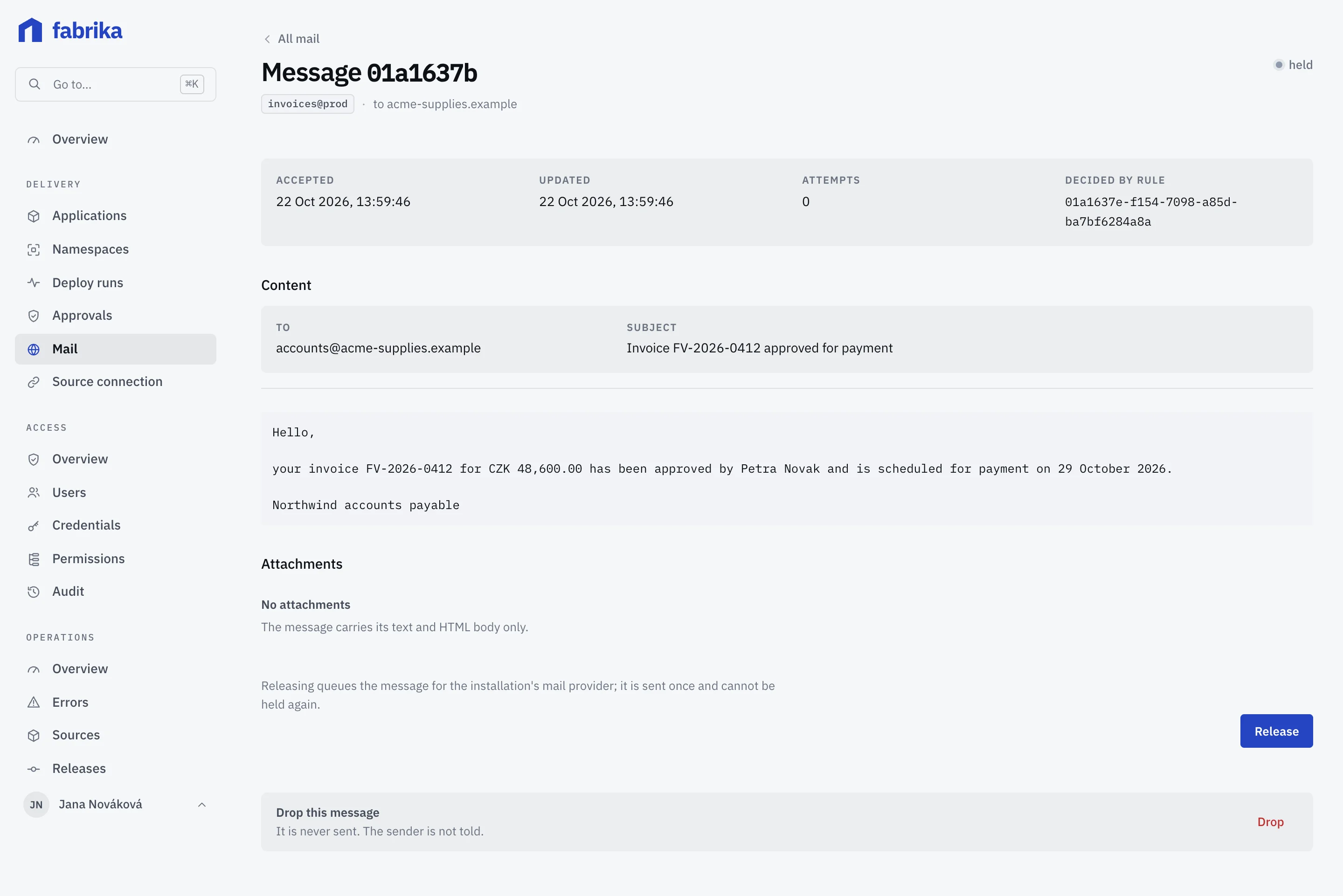
Check what was held
Held messages are listed under “Held”. Open one to see its recipient, subject and content.
-
Release or drop it
“Release” sends it, “Drop” throws it away. A message that failed to send can go again with “Requeue”.
Good to know
- Without a rule, mail goes out. Nothing is held on its own.
- A rule matches the sender and the recipient's domain, not a single address. Message content is deleted after 30 days.
- Only on Zerops installations. On Cloudflare there is no mail relay.
Go through it with our engineer.
Half an hour with the person who builds the platform. Bring your identity provider, your cloud, your security questionnaire or a repository.